A daemon is a background process or computer program that runs automatically without user input. Daemons typically initialize upon system startup and continuously perform important tasks until shutdown. Some daemons also lie dormant until the system asks them to perform a specific task.
We commonly use the term "daemon" or "agent" to describe these processes on Linux and Unix operating systems. These are aptly called "Windows services" on Windows. Multiple categories of daemons silently serve unique purposes across any system — powering functions that are fairly mundane yet crucial from the user's perspective (such as time synchronization).
The daemon moniker has existed since 1963 and was introduced by programmers under MIT Project MAC. Taking cues from Maxwell's demon, a phenomenon describing an invisible molecular sorting mechanism in thermodynamics, daemon quickly became known as system background chores that keep things running smoothly.
How do daemons work?
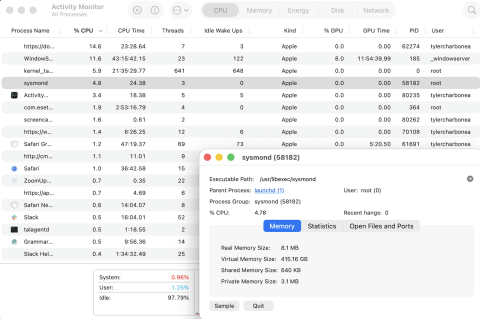
Daemons fulfill the "grunt work" across the OS — they can tackle multiple types of processes, from task automation, to security, to resource management. Daemons may enable the following features and functions:
Time synchronization
DNS interactions and server processes
External device connectivity, such as with Bluetooth devices or printers
Database management and backups
Log rotation
Memory management and performance optimization
Secure connectivity (such as with SSH)
Additional process initialization
System configuration application and execution
Network File System (NFS) services and connectivity
DHCP and network interface management
Remote procedure call (RPC) port number mapping
Serve web pages
Many system daemons run for all users simultaneously on a given machine. Each OS has its own set of daemons that may share many similar functions with related daemons on other systems. These often have unique names. OSes come prepackaged with dozens of standard daemons, and third-party programs can add even more.
Since daemons run in the background without an interface, control over them is limited to sending signals or interacting with any sockets they create (a signal may tell it to reload its configuration files, for example). This differs from other processes users can manage directly through the CLI, Terminal, or system GUIs. A daemon may also act as a server within the client-server model.
Each daemon can belong to a process group and have an associated parent process. When a daemon is started, most will fork and have the original process exit — leaving it running under init without a parent process (some may spawn worker processes that'll run under it). Multiple daemons may share a parent process — functioning as child processes — but each cannot have more than one parent process.
Operating systems usually contain a set of tools for starting, stopping, and managing daemons. Within most Linux systems, systemd reads unit files to define which executable commands can start, stop, or restart a service and log its output. Users can customize this as needed. Windows has a service manager that serves a similar purpose.
You’ve mastered one topic, but why stop there?
Our blog delivers the expert insights, industry analysis, and helpful tips you need to build resilient, high-performance services.
Does HAProxy use daemons?
Yes! HAProxy usually runs as a daemon, and daemons power several functions in HAProxy Enterprise load balancer, including the HAProxy Data Plane API (for dynamic configuration management), traffic mirroring, route health injection, crawler validation, and single sign-on. With HAProxy Fusion, you can manage these processes across your fleet.
Read our guide to the HAProxy process manager or explore our load balancer automation solution to learn more.